




Karsten Wenzlaff, Advisor
August 26th, 2025
Karsten Wenzlaff is a Crowdfunding and Fintech Expert from Germany. He is Secretary-General of Digit[...]


Sep 3, 2026

Anyone who has onboarded a client at a fintech startup knows the bottleneck. The product works, the API integration is done, and then someone emails a photo of a passport taken at an angle in bad light, with half the machine-readable zone cut off. Multiply that by fifty applicants a week and your compliance queue turns into a photo-editing job.
Small lenders, brokerages and crypto exchanges all hit the same wall. Identity verification and record-keeping are document-heavy by law, and the documents arrive in whatever format the customer's phone produced.
That is the gap a mobile scanner fills. OKEN, listed on the Play Store under the longer name OKEN - camscanner, pdf scanner and published under the name CAMBYTE Pte. Ltd., is a Productivity app that turns a phone camera into a document scanner with edge detection, OCR text recognition, and export to PDF, JPG, Word or TXT. It also reads QR codes, which matters more than it sounds in a payments context.
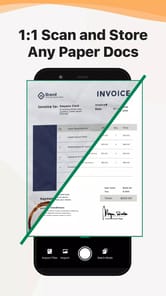
The core loop is straightforward. Point the camera at a page, let the app find the borders, and it flattens the perspective into something that looks like it came off a flatbed scanner rather than a kitchen table.
OCR is where the finance use case gets interesting. A scanned invoice or ID page that carries a searchable text layer can be indexed, queried and pulled up during an audit without anyone flipping through image files. A scan without OCR is just a picture of information.
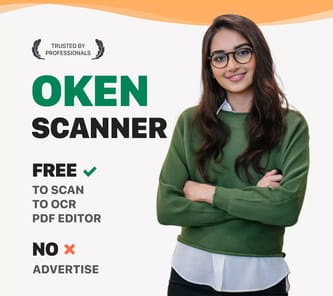
The format range is the practical part for anyone assembling a client file:
The store listing pitches it at students and small business people, accountants, realtors and managers. That is a fair description of who benefits most: teams too small to own scanning hardware but still accountable for the same paper trail as the big institutions.
Phone scanning is fine for capture. It stops being fine at the point where you have thirty scanned pages sitting on a handset and a Windows machine holding your CRM, your case management system, and the shared drive your auditor actually looks at.
That handoff moment is usually why people start looking at OKEN scanner for PC rather than sticking with the phone alone. On a desktop, the app runs inside an Android emulator, and the exported PDFs land somewhere your other software can reach.
Most emulator advice is generic. For a scanner app, only a couple of things really change the experience.
Batch OCR is noticeably more comfortable on a large monitor. Correcting a misread account number in a recognized text layer is tedious on a 6-inch screen and fast with a keyboard.
Treat the app as capture and formatting, not as verification. OKEN produces a clean, readable, searchable document. It does not authenticate an identity document, check it against a sanctions list, or satisfy any regulator on its own.
For internal paperwork, supplier invoices, signed agreements and expense records, that distinction barely matters. For customer identity files it matters a great deal, and the scanner should sit in front of a proper verification provider rather than in place of one.
One caveat worth carrying away: scanned identity documents are among the most sensitive files a small firm will ever hold. If you run the app on a shared office desktop through an emulator, the exported PDFs live in a Windows folder that anyone with access to that machine can open. Decide who that is before the first scan, not after.
 The National Crowdfunding & Fintech Association (NCFA Canada) is a financial innovation ecosystem that provides education, market intelligence, industry stewardship, networking and funding opportunities and services to thousands of community members and works closely with industry, government, partners and affiliates to create a vibrant and innovative fintech and funding industry in Canada. Decentralized and distributed, NCFA is engaged with global stakeholders and helps incubate projects and investment in fintech, alternative finance, crowdfunding, peer-to-peer finance, payments, digital assets and tokens, artificial intelligence, blockchain, cryptocurrency, regtech, and insurtech sectors. Join Canada's Fintech & Funding Community today FREE! Or become a contributing member and get perks. For more information, please visit: www.ncfacanada.org
 |  |  |
|---|---|---|
 |  |  |


August 26th, 2025

January 4th, 2024

June 1st, 2021

September 9th, 2020

July 9th, 2018

January 3rd, 2018

September 25th, 2017

June 20th, 2017

May 10th, 2017

December 14th, 2016

Leave a Reply